

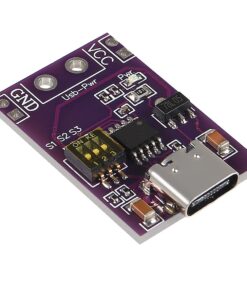
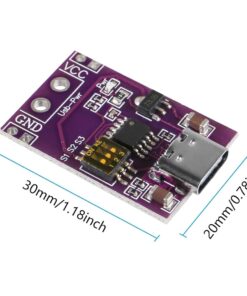
PD/QC/AFC Fast Charge Decoy Trigger Module USB Type-C
₹99.00 (incl. GST)
Out of stock
Want to be notified when this product is back in stock?
Additional Information
✅ Free Shipping on Orders Above ₹999
✅ Items on Website is Ready Stock at our Store for Immediate Shipping
✅ Secure Checkout | Trusted Payments
✅ Estimated Delivery?
The PD/QC/AFC Fast Charge Decoy Trigger Module is a versatile module designed to simulate and trigger various fast charging protocols including Power Delivery (PD), Quick Charge (QC), and Adaptive Fast Charging (AFC).
This PD QC AFC trigger module allows you to manually or automatically select and test output voltages of 5V, 9V, 12V, 15V, or 20V with a USB Type-C input, making it perfect for engineers, DIY enthusiasts, and technicians working with fast-charging power supplies and devices. By emulating supported protocols, it enables safe, accurate compatibility checks and helps in development, troubleshooting, and quality control.
Features:
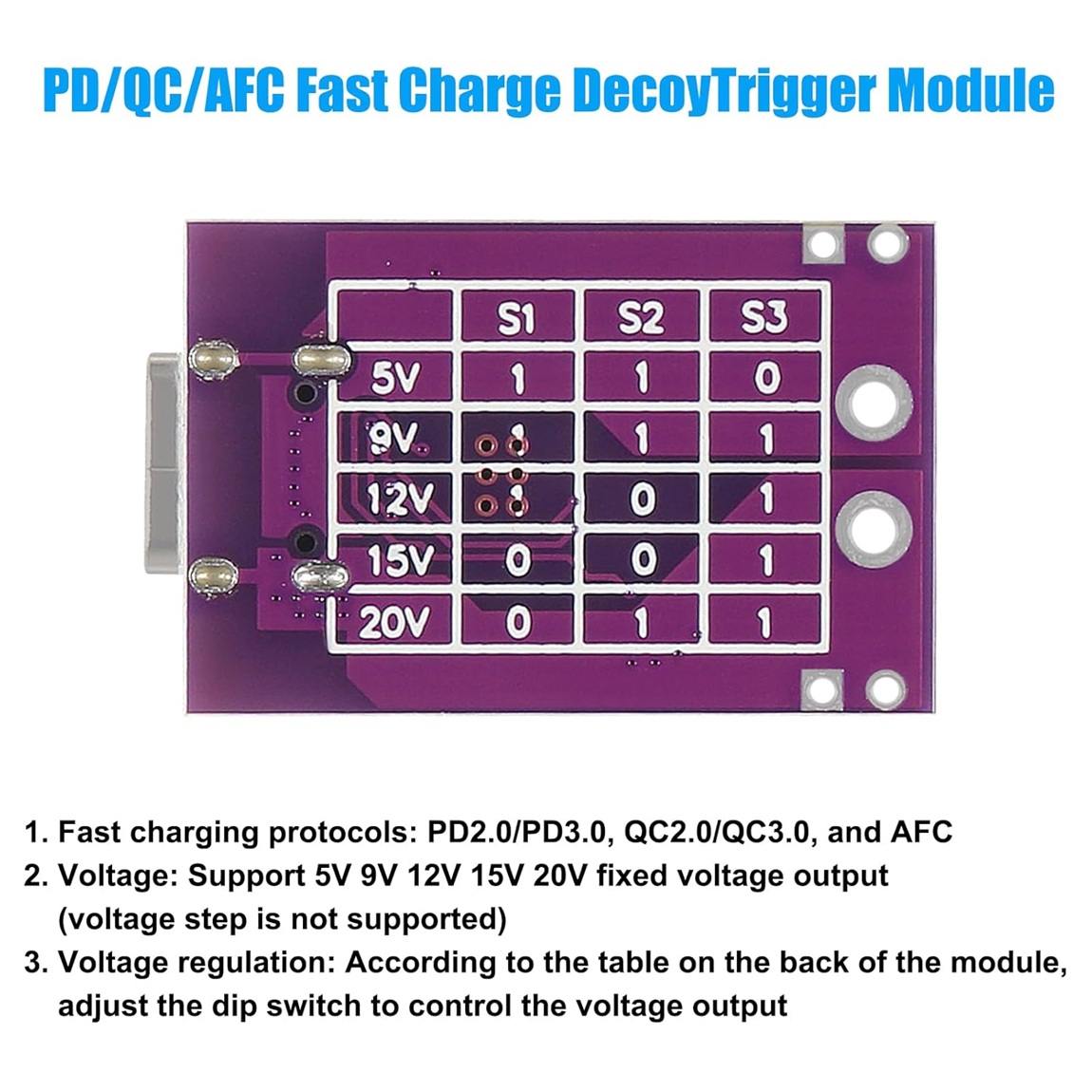
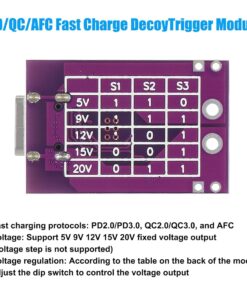
- Supports PD2.0/PD3.0, QC2.0/QC3.0, and AFC fast charging protocols.
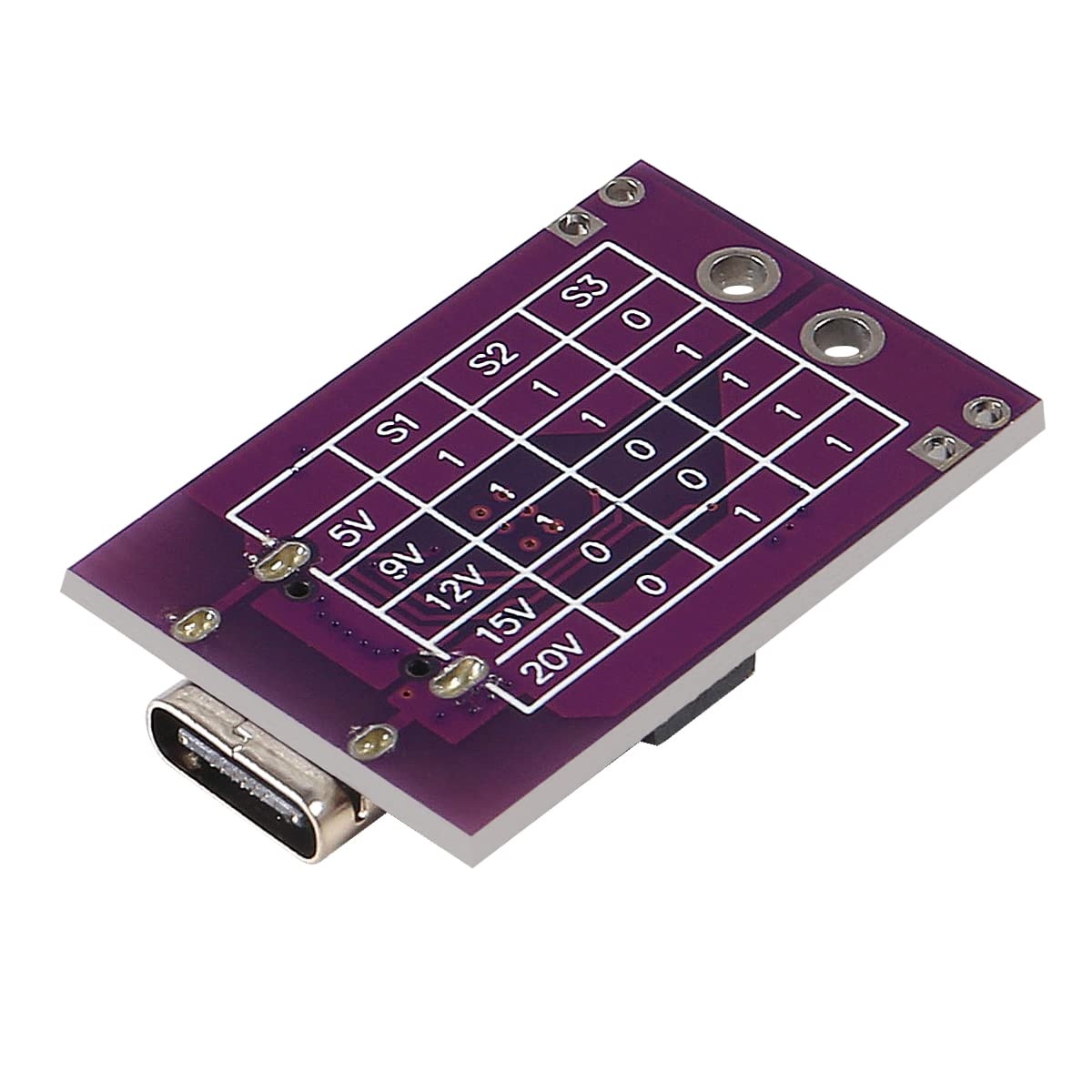
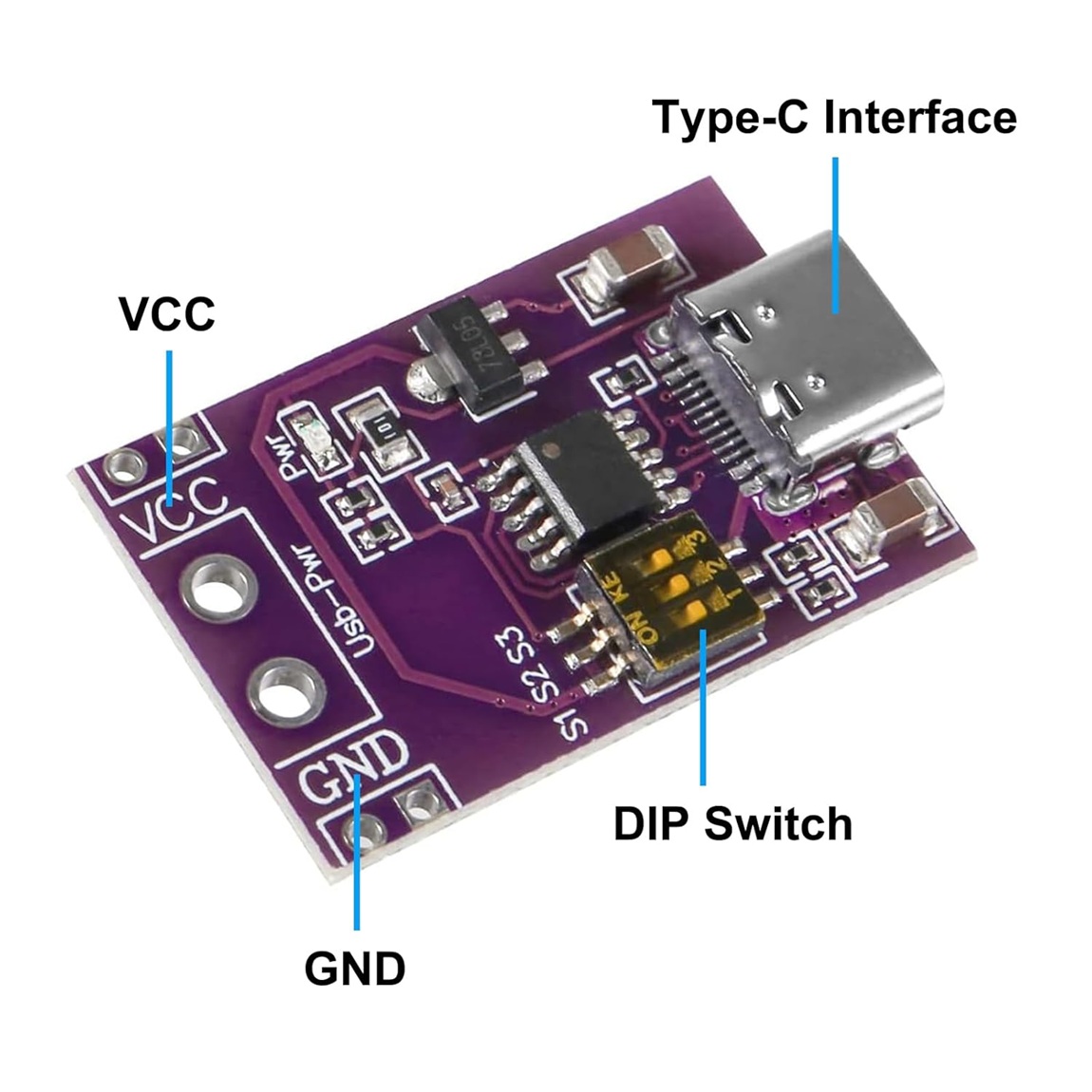
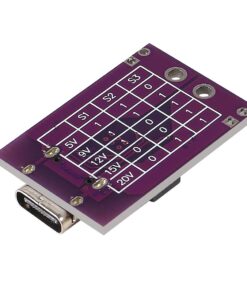
- Voltage select via DIP switches: 5V, 9V, 12V, 15V, 20V DC fixed output.
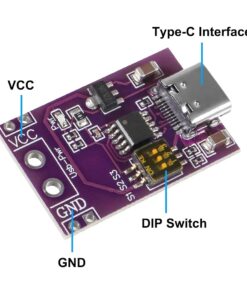
- USB Type-C power input, output through VCC and GND screw terminals.
- Compact and lightweight PCB for handy field and bench testing.
- Built-in protection: overvoltage, overcurrent, and thermal safeguards.
- Useful for charger, adapter, and power bank testing or product development.
Specifications:
- Supported Protocols: PD2.0/PD3.0, QC2.0/QC3.0, AFC
Input Connector: USB Type-C
Output Voltage: Selectable: 5V/9V/12V/15V/20V (fixed)
Output Current: Up to 3A (depending on charger)
Voltage Select Method: DIP switches
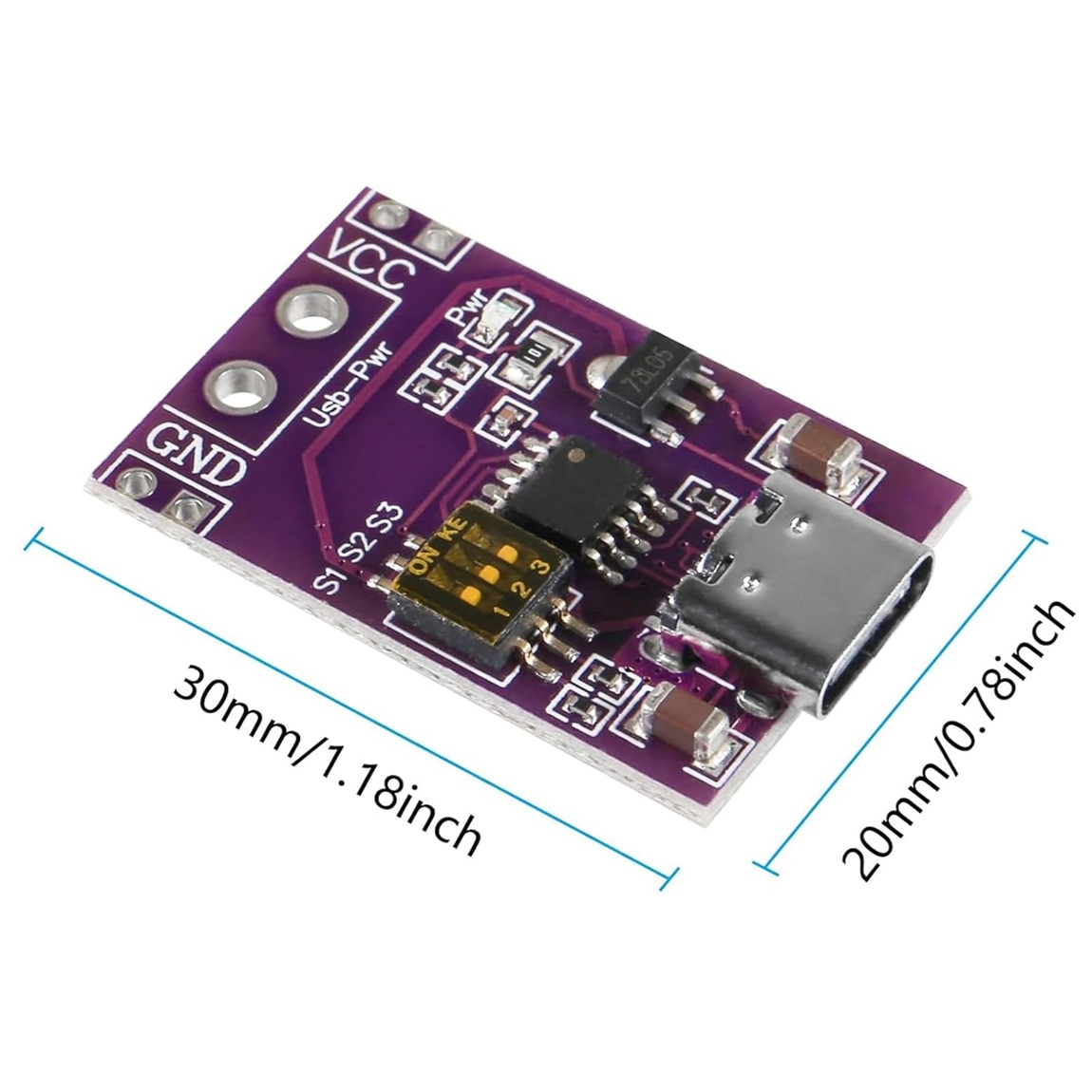
PCB Dimensions: ~31mm x 20mm
Safety: Over-voltage, over-current, thermal
Application:
- Test and verify fast charging power supplies, adapters, and power banks for compatibility.
- Debug fast charging devices and simulate device load.
- Power DIY electronics and boards with adjustable DC supply from USB Type-C sources.
- Ideal for development, troubleshooting, and educational experiments around USB fast charging standards.
Package Includes:
- 1 x PD/QC/AFC Fast Charge Decoy Trigger Module USB Type-C
Note:
- Always set DIP switches according to the protocol/voltage table printed on the back of the module before use.
- Measure output voltage with a multimeter before connecting to sensitive circuits, as there is no visual output indicator.
- Ensure charger or adapter supports the selected protocol/voltage; unavailable voltages will not work.
- Avoid direct shorting of output terminals; use only within safe rated currents.
Be the first to review “PD/QC/AFC Fast Charge Decoy Trigger Module USB Type-C”
Related products
Reviews
There are no reviews yet.