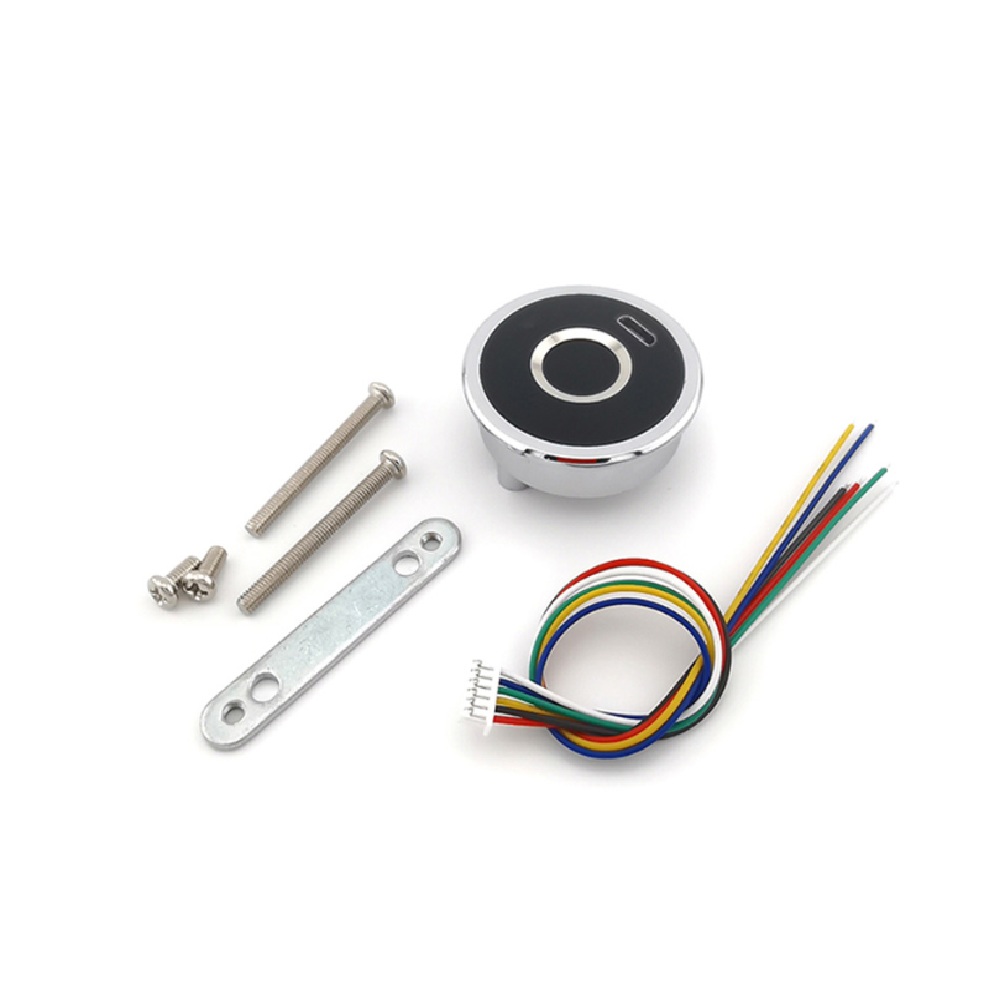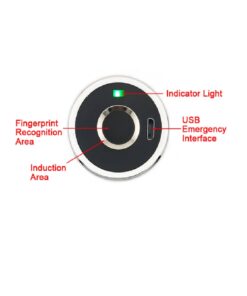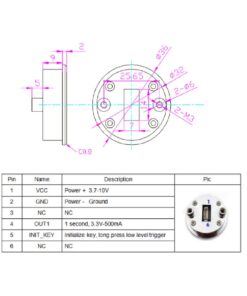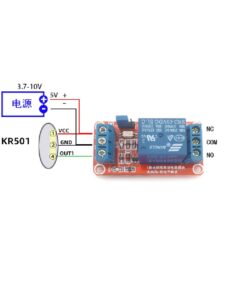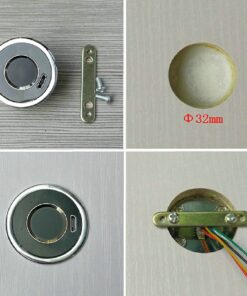

The GROW-KR501 Fingerprint Control Board is a compact biometric module designed for secure access control applications. It operates on a wide voltage range (DC 3.7–10V) and supports up to 20 fingerprint registrations. This GROW-KR501 module outputs a 3.3V high-level signal for 1 second upon successful fingerprint verification, ideal for activating relays, locks, or triggering entry mechanisms. Its low standby current ensures excellent energy efficiency, making it suitable for battery-powered projects.
Simple setup, fast registration and deletion procedures, and direct, standalone fingerprint security operation without a microcontroller make it perfect for integration into smart locks, cabinets, and doors.
Features:
- Up to 20 fingerprint registrations for personalized secure access
- Wide operating voltage: DC 3.7–10V for flexible power options
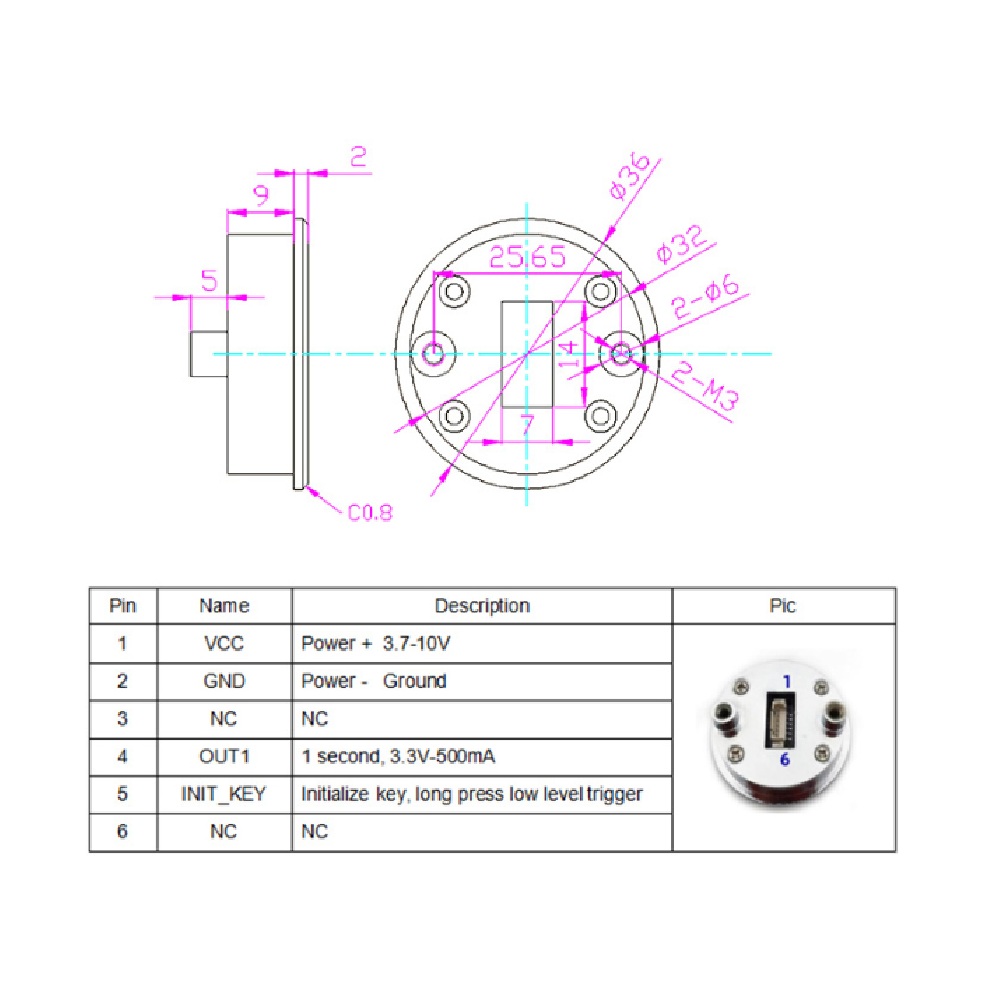
- High-level digital output: 3.3V @ 500mA for 1 second on authentication
- Ultra-low standby current (2.5–7μA) for battery-friendliness
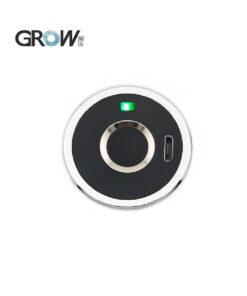
- Quick fingerprint registration and deletion; indicator LEDs for operation status
- Standalone operation—requires no external microcontroller
- Compact, easy-to-integrate module—ideal for security and automation projects
Specifications:
- Supply Voltage: DC 3.7–10V
- Standby Current: 2.5–7μA (typical: 3μA)
- Working Current: 40–250mA (typical: 45mA)
- Fingerprint Capacity: 20
- Output: 1 second, 3.3V, 500mA
- Low Voltage Alarm: ≤4.8V
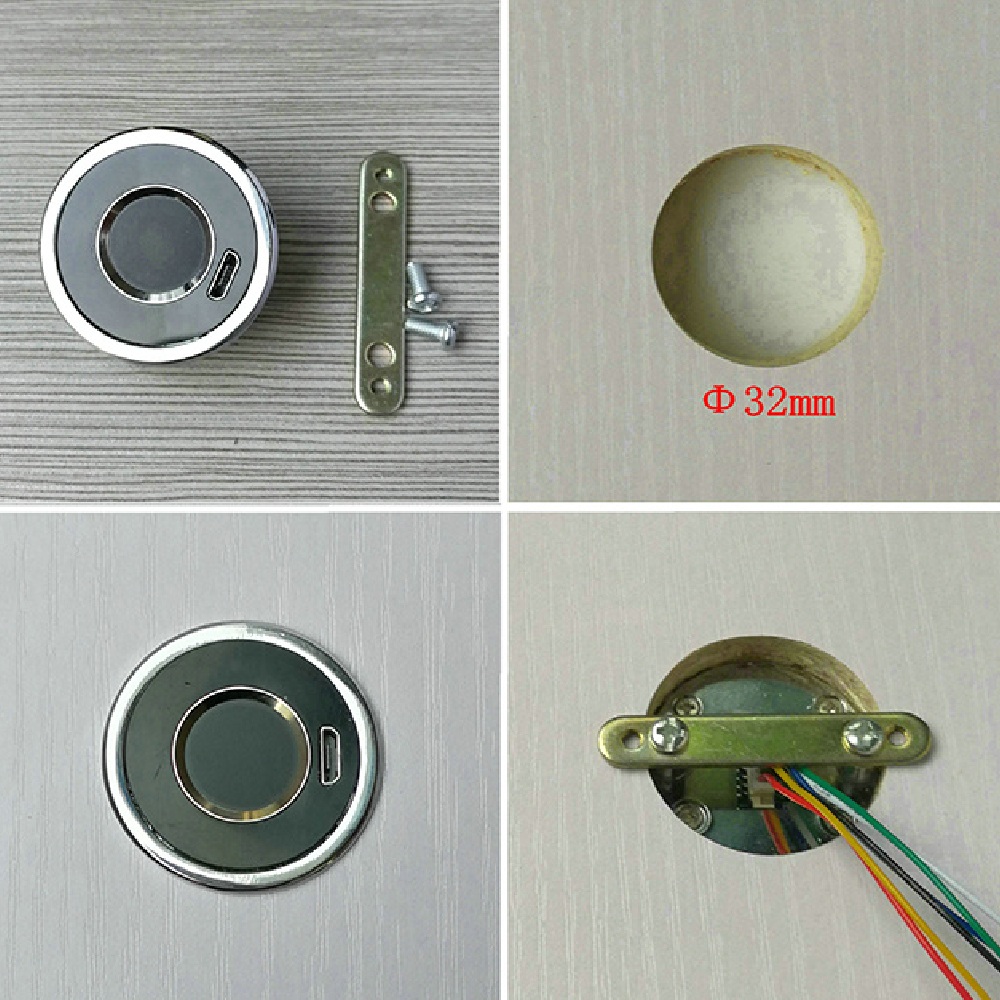
- Module Diameter: 36 mm
Operation Instruction:
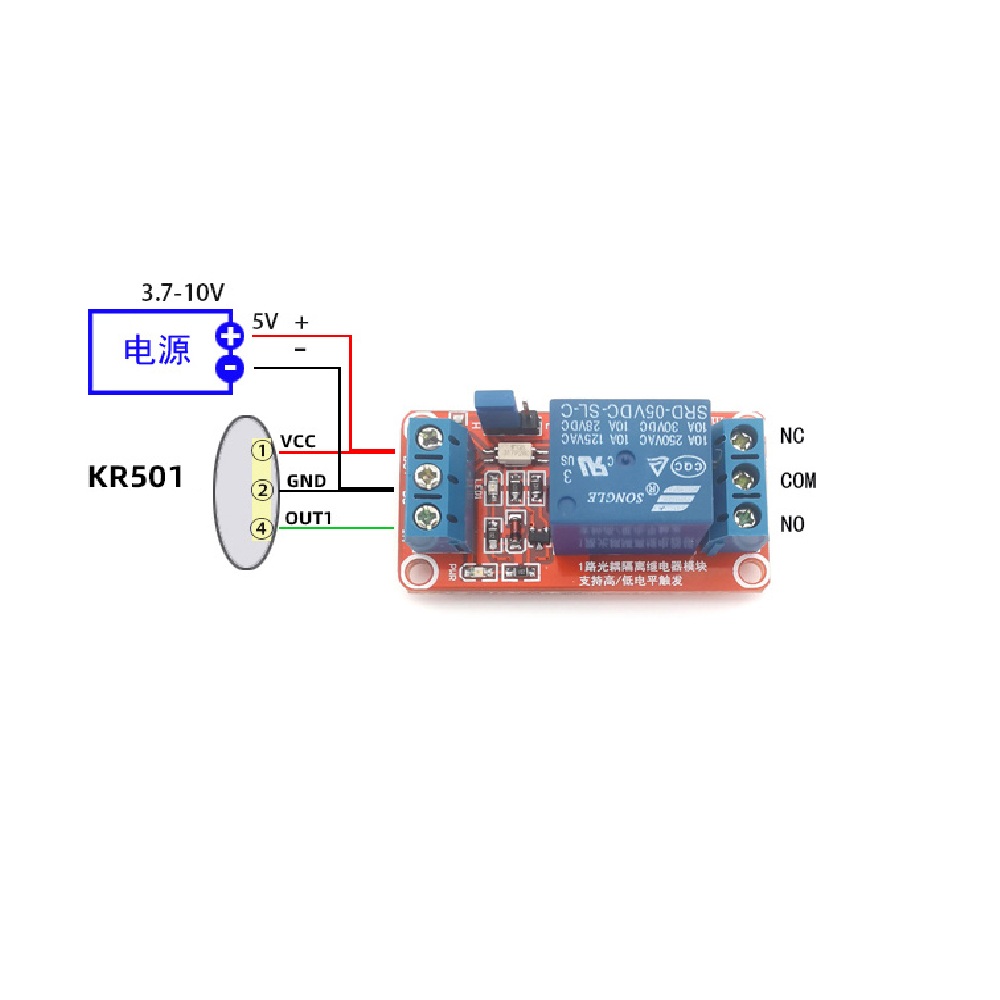
After the fingerprint is passed, the OUT1 pin outputs a signal with a voltage of 3.3V and a current of 500ma for 1 second. In the initialization state, any fingerprint can pass through.
1. Register Fingerprint:
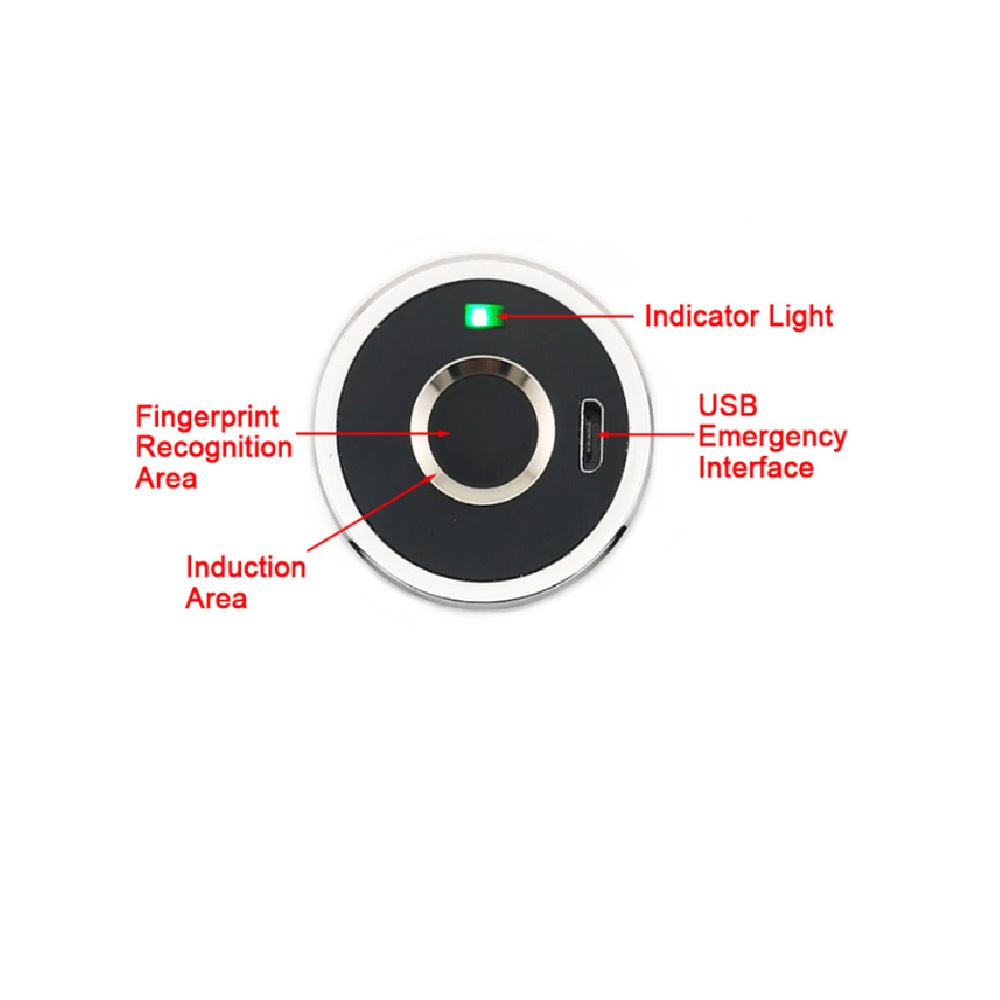
Long press the registered fingerprint(In initial state press any fingerprint), until the blue indicator light turn on and hearing music, means the system in register state, press the finger with multiple times in fingerprint collection area,each press have “di” sound, until hearing music means fingerprint register successful. Fingerprint can be registered continuously when system in register state; if no need adding fingerprint more, waiting a few seconds.
Note: In the initialization state,must have to register more than 2 correct fingerprints for the first time,then the system can be removed from the initialization state.
2. Delete Fingerprint(Back to initialization state):
2.1 Long press the registered fingerprint, until the red indicator light turn on,means all fingerprints are deleted and back to initialization state.
2.2 Use INIT_KEY pin. In the standby state, make the INIT_KEY pin ground connection, until the red indicator to turn on, hear the “Di-” sound, disconnect the grounding, the indicator turns green, means all fingerprints are deleted and back to initialization state.
Application:
- Smart door locks for residential and commercial security
- Drawer, cabinet, and safe access control systems
- Biometric time attendance systems
- DIY electronics and IoT security projects
Package Includes:
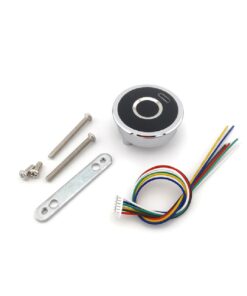
- 1 x GROW-KR501 Fingerprint Control Board Module
- Interface cables for connection

Water Float Sensor Switch P43


Reviews
There are no reviews yet.